

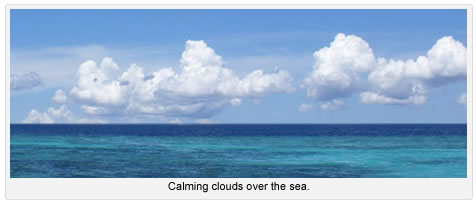
WordPress 2.6 comes with a feature that adds captions to images. It looks really nice in the WordPress editor, but if you don’t have the code, it won’t look as nice when you publish your post.
The good news is, all you have to do is add the following lines of code to your theme’s CSS file.
/* Captions */

.aligncenter,

div.aligncenter {

display: block;

margin-left: auto;

margin-right: auto;

}
.wp-caption {

border: 1px solid #ddd;

text-align: center;

background-color: #f3f3f3;

padding-top: 4px;

margin: 10px;

-moz-border-radius: 3px;

-khtml-border-radius: 3px;

-webkit-border-radius: 3px;

border-radius: 3px;

}
.wp-caption img {

margin: 0;

padding: 0;

border: 0 none;

}
.wp-caption p.wp-caption-text {

font-size: 11px;

line-height: 17px;

padding: 0 4px 5px;

margin: 0;

}
/* End captions */
Now your images and captions will look just as good live as they do in the editor.